Ever wondered what those long numbers in Roblox URLs mean or why they are so important? For the busy gamer balancing work, family, and precious gaming time, understanding Roblox ID numbers is a secret weapon for efficiency and deeper engagement. These unique identifiers are the backbone of the Roblox platform, pointing to everything from your favorite avatar items and in-game assets to entire experiences and even other players. Whether you are trying to share a cool sound effect with a friend, report a problematic user, or simply navigate the vast Roblox universe more effectively, knowing what a Roblox ID number is and how to find it will save you time and enhance your play. This guide cuts through the noise, offering practical, no-nonsense advice for making your Roblox experience smoother and more enjoyable, letting you focus on the fun without getting bogged down in technical hurdles. We will cover how these IDs streamline gameplay, asset management, and social interaction within the vibrant Roblox community.
What is a Roblox ID number, and why do gamers need to know it?
A Roblox ID number is a unique string of digits assigned to nearly everything on the Roblox platform: individual users, game experiences (places), and all sorts of assets like images, audio, models, and clothing items. Gamers need to know these IDs to efficiently share specific content with friends, report issues accurately to Roblox support, or for creators, to reference assets in their game development. With 87% of US adults regularly gaming, knowing your way around these IDs streamlines your play, saving precious time for the fun parts.
How do I find the Roblox ID number for a specific game I want to share?
Finding a game's Roblox ID number is super easy. Simply navigate to the game's page on the Roblox website using your browser. Look at the URL in your address bar; you'll see a series of numbers directly after 'https://www.roblox.com/games/'. That numerical sequence is the unique Game ID. Copy and paste it, and you're ready to share that awesome experience with your buddies!
Where can I find the Asset ID for an item I want to use or share from the Avatar Shop?
To find the Asset ID for an Avatar Shop item, like a cool new hat or shirt, go to that item's page on the Roblox website. Just like with games, the Asset ID is in the URL. It will be the numbers directly following 'https://www.roblox.com/catalog/'. This is invaluable for creators wanting to reference items, or simply when you want to show a friend exactly which limited-edition accessory you're eyeing.
Is there a way to quickly get my own Roblox User ID for account management?
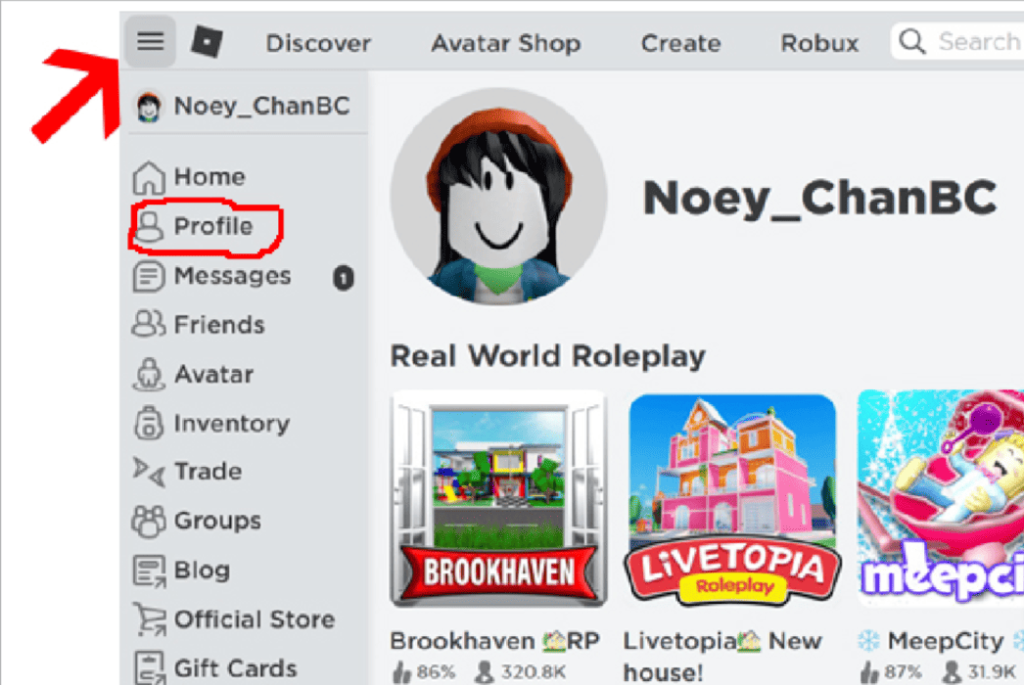
Absolutely! Your Roblox User ID is your personal identifier on the platform. To find it, head to your profile page on the Roblox website. In the browser's address bar, you'll spot a number string after 'https://www.roblox.com/users/'. That's your unique User ID. You might need it when contacting support, for specific third-party tools, or for sharing your profile with other players easily.
Why are Roblox IDs always just numbers and never include letters or symbols?
Roblox IDs are strictly numerical for simplicity, consistency, and efficient database management. Using only numbers ensures that every ID is unambiguous and can be processed incredibly fast by the system, which is crucial for a platform with millions of assets and users. This streamlined approach helps maintain platform stability and performance, letting you enjoy smoother gameplay without unnecessary technical hitches.
What's the best practice for using Roblox ID numbers in game development?
For game development, best practice involves diligently using the correct Roblox ID numbers in your scripts to reference assets, models, audio, and more. Always double-check IDs to ensure you're linking to the precise asset you intend. Organizing your IDs, perhaps in a separate script or configuration table, can prevent errors and make your code cleaner and easier to maintain, especially as your game grows in complexity.
How do Roblox ID numbers help with troubleshooting or reporting issues in games?
Roblox ID numbers are vital for troubleshooting and reporting issues because they provide exact references. If you encounter a bug in a specific game, providing its Game ID helps support quickly locate it. If you need to report a problematic player or an inappropriate asset, having their User ID or the Asset ID allows Roblox's moderation team to pinpoint the exact issue and take appropriate action without guesswork. This speeds up resolution and keeps the platform safer and more enjoyable for everyone.
In the bustling world of Roblox, where creativity and community thrive, there's a quiet hero working behind the scenes to keep everything organized: the Roblox ID number. For many of us who balance a demanding job, family life, and a passion for gaming, time is a precious commodity. We want to dive into our favorite experiences, unwind, and maybe even build something cool without technical headaches. You might have seen these long strings of numbers in URLs or in game descriptions and wondered, what exactly are they? Think of them as the digital fingerprints for virtually everything on Roblox, from that epic sword you just bought to the catchy background music in your favorite experience, and even your own player profile.
With 87% of US adults regularly engaging with games and many dedicating 10 or more hours a week, efficiency on platforms like Roblox isn't just nice, it's essential. Understanding what a Roblox ID number is and how to use it can significantly streamline your gameplay, content creation, and social interactions. It helps you quickly find what you're looking for, share specific content with friends, and even troubleshoot issues more effectively. This guide is your no-nonsense resource, designed to arm you with the knowledge you need to navigate Roblox like a pro, letting you maximize your fun and minimize frustration. Let's break down the mysteries of Roblox ID numbers together, so you can spend less time searching and more time playing.
What Exactly is a Roblox ID Number?
A Roblox ID number is a unique numerical identifier assigned to almost every distinct entity within the Roblox platform. This includes individual users, entire game experiences (often called 'places'), assets like images, audio files, models, animations, shirts, and even groups. Each ID is a specific, immutable code that distinguishes one item or user from another, ensuring that when you're referring to 'that cool sword' or 'that amazing obby game', you're both looking at the exact same thing on a global scale. It's the system's way of categorizing and referencing millions of unique pieces of content.
Why Are Roblox ID Numbers So Important for Gamers and Creators?
For gamers and creators alike, Roblox ID numbers are incredibly important for several practical reasons. They facilitate easy sharing and discovery of content: you can quickly send a friend the ID of a game, asset, or item without needing a complex link or description. For creators, these IDs are fundamental to scripting and developing experiences; they're used to reference specific assets in code, making games functional. On the support side, IDs are crucial for reporting issues, whether it's identifying a problematic user or a glitching asset, allowing Roblox to quickly pinpoint the problem. In a platform where mobile gaming dominates and quick sharing is key, these IDs simplify interaction.
How Do I Find a Roblox ID Number for a Game or Experience?
Finding a Roblox ID number for a game or experience is straightforward. When you are on the Roblox website and viewing a specific game's page, the ID number is prominently displayed in the URL. Look at the web address in your browser; it will typically follow a pattern like https://www.roblox.com/games/XXXXXXXXX/Game-Title. The string of numbers (XXXXXXXXX) right after '/games/' is the unique Game ID. This method works seamlessly across PC and mobile browsers, making it easy to share your favorite experiences with others.
Where Can I Locate a Roblox Asset ID (for Items, Audio, Images)?
Locating a Roblox Asset ID follows a similar logic to finding Game IDs. If you're on the Roblox website viewing an item in the Avatar Shop (like a hat or shirt), a model in the Creator Marketplace, or an audio file on its dedicated page, the Asset ID will be in the URL. It usually looks like https://www.roblox.com/catalog/XXXXXXXXX/Item-Name for Avatar Shop items, or https://www.roblox.com/library/XXXXXXXXX/Asset-Name for other assets. The numerical string (XXXXXXXXX) immediately after '/catalog/' or '/library/' is your Asset ID. This is vital for creators wanting to embed specific assets into their games.
Can I Find My Own Roblox User ID, and Why Would I Need To?
Yes, you can absolutely find your own Roblox User ID. Navigate to your profile page on the Roblox website. Just like with games and assets, your User ID will be in the URL, typically structured as https://www.roblox.com/users/XXXXXXXXX/profile. The number (XXXXXXXXX) after '/users/' is your unique User ID. You might need your User ID for various reasons: to share your profile easily with friends, for specific community tools or third-party applications that integrate with Roblox, or when contacting Roblox support for account-specific issues. It's your digital fingerprint within the Roblox community.
Are Roblox ID Numbers Always Numeric, or Can They Be Alpha-Numeric?
Roblox ID numbers are exclusively numeric. They are composed entirely of digits, typically a long string of numbers (often 9-10 digits) that serves as a unique identifier. You will not find any letters or special characters within a standard Roblox ID for users, games, or assets. This purely numerical system ensures efficiency and consistency across the platform's vast database. This consistency makes it easier for the system to process and retrieve information quickly, which is critical given the millions of assets and users on Roblox daily. It's a simple, robust system designed for scale.
What's the Difference Between a Place ID and an Asset ID?
While both are Roblox ID numbers, a Place ID specifically identifies an entire game experience or 'place' on Roblox, essentially the playable world. An Asset ID, on the other hand, identifies a specific individual component or item within Roblox that can be used in games or on avatars. Think of a Place ID as the address of a building, while an Asset ID is the unique serial number of an item inside that building, like a chair, a painting, or a specific piece of music. Developers use Place IDs to refer to different game worlds and Asset IDs to populate those worlds with content.
How Do ID Numbers Impact Game Development and Performance?
ID numbers are the backbone of game development on Roblox. Developers use them extensively in scripting to reference and load assets, connect players to specific places, and manage various game elements. Without precise ID numbers, scripts wouldn't know which texture to apply, which sound to play, or which model to spawn. From a performance standpoint, Roblox's system efficiently uses these IDs to quickly retrieve content from its servers. This quick retrieval contributes to smoother loading times and a more responsive gaming experience for players, minimizing lag and enhancing overall immersion, especially crucial for the average gamer juggling life and leisure.
Understanding Roblox ID numbers might seem like a small detail, but it empowers you to navigate the platform with greater confidence and efficiency. Whether you're a casual player looking to share a cool item, a budding developer scripting your next big hit, or just someone who wants to understand the mechanics of their favorite platform, these IDs are fundamental. With mobile gaming trends reinforcing the need for quick access and social gaming continuing to dominate, knowing how to leverage these numbers means more time enjoying the vast, creative world Roblox offers. Stay savvy, stay connected, and keep gaming!
What's your biggest Roblox discovery or challenge? Comment below and share your tips!
FAQ Section
What if I can't find the ID in the URL?
Most public items and profiles will show the ID in the URL. If you're looking for an ID of an asset that's not publicly listed or is within a game (like an in-game sound), you might need developer tools or specific game features. For private or unlisted assets, only creators typically have access to their IDs.
Are Roblox ID numbers always unique?
Yes, every Roblox ID number is designed to be globally unique for the specific type of entity it represents. No two users, games, or assets will ever share the same ID number, ensuring that the platform can accurately identify and manage billions of distinct items and interactions.
Can Roblox ID numbers change?
No, once an ID number is assigned to a user, game, or asset, it is permanent and cannot be changed. This immutability is crucial for maintaining the integrity of the platform's database and ensuring that all references to content remain consistent over time.
Do deleted items or users still have an ID?
When an item or user is deleted, their unique ID number is effectively retired. While the ID itself will no longer point to active content, it's never reassigned to a new item or user. This prevents confusion and ensures that past references remain historically accurate, even if the content is gone.
How do I use an ID number in a game?
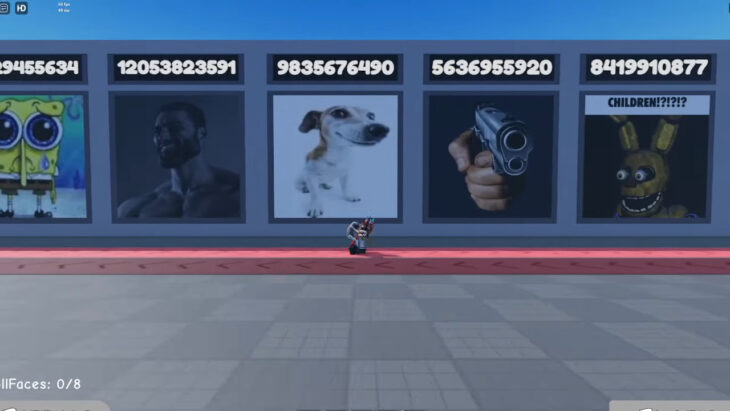
In many Roblox games, particularly those that allow customization or asset insertion, you might find specific in-game interfaces or commands where you can paste an asset ID. For example, some 'boombox' items let you input an audio ID to play music, or building games might allow you to import models using their ID. Always check the game's specific instructions.
Roblox ID numbers are unique digital identifiers for users, games, and assets. They are crucial for sharing content, game development, and system management. Easily found in URLs for public items, they help streamline content discovery and reporting issues. Understanding IDs enhances your overall Roblox experience.
35



100 Roblox Music Code ID S 2026 WORKING AFTER UPDATE . 20 Roblox Full Music Codes IDs January 2026 WORKING ROBLOX ID . Roblox Character Id Numbers How To Find Your Roblox User Id In Minutes 4 1024x685 . Roblox Music Codes June 2026 The Best Song IDs Beebom Roblox Music Code Redeem And Play Button . What Are Roblox Ice Decals For 2026 Best Decal Ids Roblox




Is Your Roblox ID Safe From Leaks In 2026 . How To Find Your Roblox User ID On Mobile IOS Android YouTube . Where To Find Roblox Clothes ID Numbers Easily How To Use Roblox Decal IDs 730x411 . ALL Working Roblox Song IDs 2026 TESTED LEGIT YouTube . All The Latest Roblox Music ID Codes June 2026 Latest Roblox Music ID Codes


100 Verified Roblox Song IDs Still Working YouTube . Roblox Animation IDs July 2026 Page 4 Roblox ID Roblox Animation Ids . Seeking Illuminati Song ID Roblox Codes In 2026 . ALL NEW JANUARY 2026 Roblox Promo Codes For FREE ROBLOX Items FREE . Where To Find Your My Melody Roblox Decal ID Codes Best Decal IDs In Roblox 1




Roblox Identifiant Robux Lyc E Bayside Truc Gratuit . How To Add People Roblox Easily Your 2026 Guide . Earrape Roblox Song IDs A Fun And Loud Guide . How To Get A Roblox Image Id . What Is A Good Map Voxel Limit Building Support Developer Forum 2 916x750




What Is Haptic Roblox A Player S Guide 2026 Parental Guide For Roblox Usage UnicMinds . Roblox 2026 Logo REVEALED New Color New Look YouTube Maxres2 . Roblox Image ID Database 2026 Lawod Roblox Image ID Database 1536x864 . Roblox ID Does Your Digital Identity Truly Matter Songid Roblox2024 02 . Collection Of The Latest Roblox Image ID And How To Use Them Images 60 5NdTQoMb7T



Roblox In 2026 Play On Roblox NoFilter. Roblox Song IDs Poster . What Is Broack Roblox And Why Is It Trending In 2026 . Roblox 2026 Logo YouTube Oardefault . How To Message On Roblox 2026 A Quick Guide




Roblox Content Safety Platform Rules Id Decal Roblox Image . Best 13 Roblox Music Codes IDs New JANUARY 2023 WORKING Roblox Song . Rickroll IDs In Roblox Never Gonna Give You Up . Where To Find Roblox Clothes ID Numbers Easily . Roblox 2026 New Logo REVEAL First Look At The Future Shorts YouTube Hq2