Roblox has exploded in popularity becoming a virtual playground for millions. As adult gamers balancing work family and life we often wonder if the platforms our kids or even we ourselves use are truly safe. Is Roblox safe to use is a question many are asking especially with its diverse user base and user generated content. This comprehensive guide cuts through the noise providing clear practical answers for 2026. We will explore its safety features potential risks how to secure accounts and best practices for a worry-free experience. Whether you are a parent concerned about your childs online interactions or an adult gamer curious about the platform this article offers actionable insights to help you navigate Roblox safely and confidently. We cover everything from privacy settings to reporting tools ensuring you have the knowledge to protect yourself and your loved ones in this expansive digital world. Stay informed and make your Roblox experience enjoyable and secure.
Related gamesQ: How does Roblox protect user privacy and personal data in 2026?
A: Roblox employs robust encryption and data protection measures to safeguard user information. They adhere to global privacy regulations like COPPA and GDPR. Users have control over their privacy settings allowing them to limit who can chat with them send friend requests and see their online status. It's crucial for users especially parents to regularly review and customize these settings to align with their comfort levels. Roblox emphasizes never sharing personal information like real names addresses or phone numbers within the game. For adult gamers this also means being cautious about linked accounts or third-party applications.
Q: What parental control options are available on Roblox and how effective are they?
A: Roblox offers comprehensive parental controls accessible through the Account Restrictions feature. These allow parents to filter games based on age appropriateness restrict chat to only friends or disable it entirely and block users. Parents can also view account activity and set a monthly spending limit for Robux. These controls are highly effective when actively managed. Combined with a PIN protected account access and regular discussions with children about online safety they form a strong defense. The key is consistent monitoring and adapting settings as children grow and their understanding of online interactions evolves.
Q: How does Roblox combat scams phishing and inappropriate content?
A: Roblox uses a multi-layered approach including AI-driven content filters human moderators and a user reporting system. Their advanced filters scan all text and image uploads for inappropriate content personal information and scam attempts. A global team of human moderators reviews millions of pieces of content daily and responds to user reports. Players can easily report suspicious links inappropriate chat or problematic games directly within the platform. While the system is robust users are also encouraged to educate themselves on common scam tactics like free Robux generators or phishing links that attempt to steal account credentials.
Q: Is it possible to limit in-game spending on Roblox and avoid unexpected costs?
A: Absolutely. Roblox provides several tools to help manage in-game spending. Parents can set a monthly spending limit for Robux purchases through their account settings ensuring that children cannot make unauthorized transactions beyond a predetermined amount. Additionally linking purchases to a specific payment method that requires a password or PIN confirmation before each transaction adds an extra layer of security. It's also wise to discuss the value of Robux and real-world money with children helping them understand the implications of in-game purchases. For adult players using a dedicated gaming budget or prepaid cards can prevent overspending.
Q: What are the common red flags for unsafe games or experiences on Roblox?
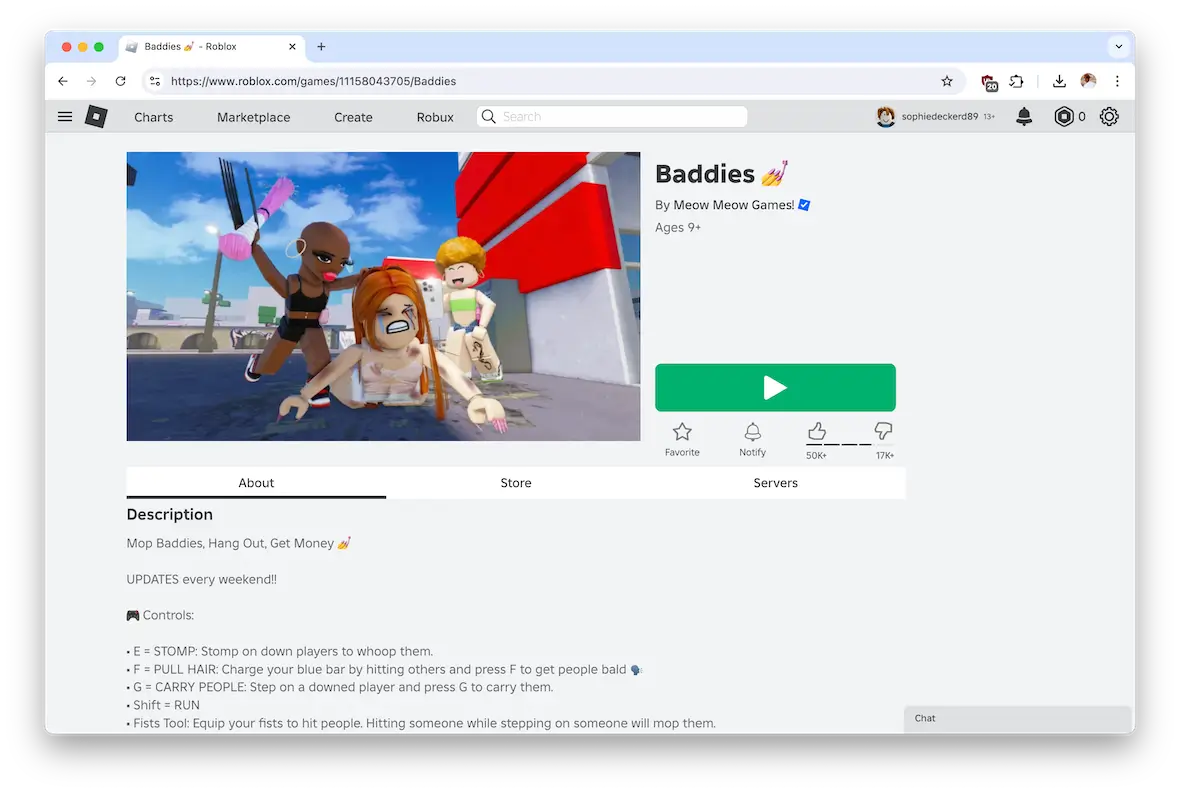
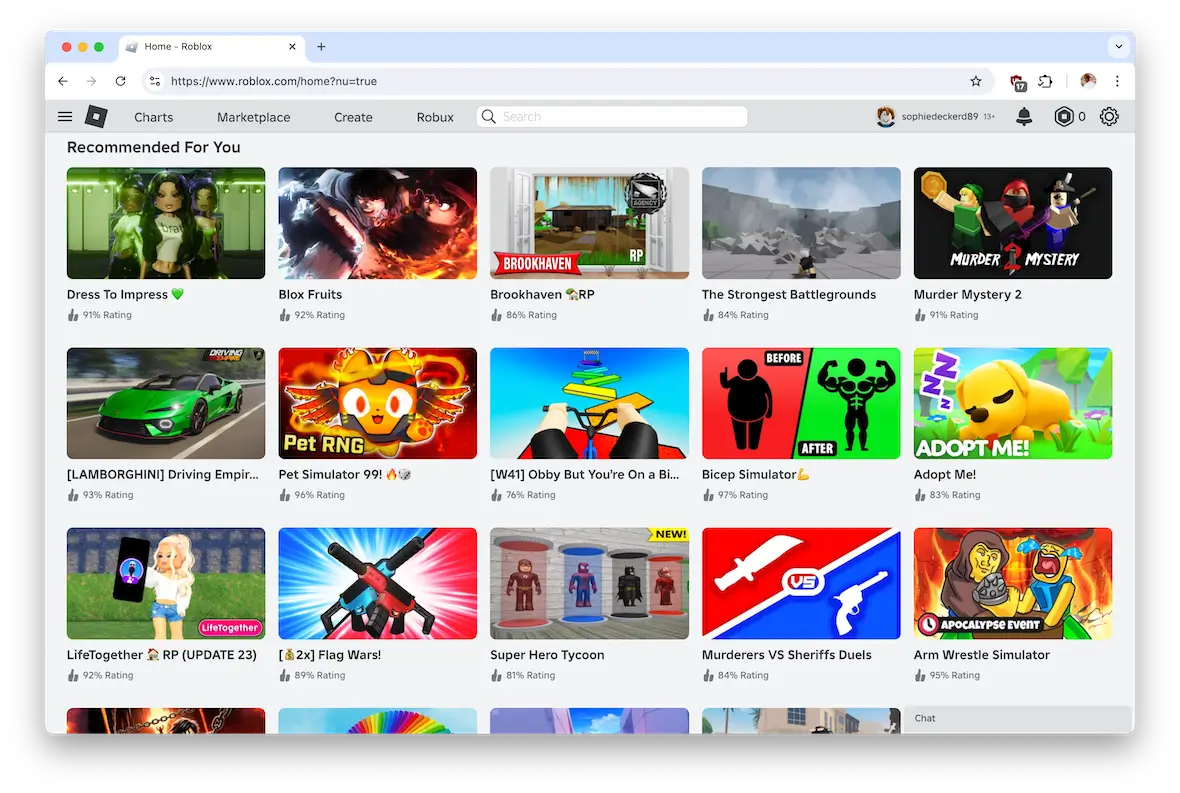
A: While Roblox strives for safety some user-generated games can be problematic. Red flags include games that promise free Robux which are always scams. Games with overly sexualized or violent imagery that violate Roblox's terms of service should be avoided. Poorly moderated games with uncensored chat are also a concern. Check game descriptions for grammar errors or vague promises. Always look at the game's ratings and reviews from other players. If a game feels off trust your gut instinct and leave. The best practice is to stick to experiences with high ratings many visits and positive community feedback.
Q: How can I educate my child about online safety while using Roblox?
A: Open and continuous communication is key. Start by explaining the importance of never sharing personal information with anyone online. Teach them about strong passwords and the dangers of clicking unknown links. Discuss what constitutes appropriate behavior and language in chat. Emphasize that not everyone online is who they say they are and to be wary of strangers. Encourage them to come to you immediately if they see anything that makes them uncomfortable or if someone asks them to do something they know is wrong. Role-playing scenarios can help them practice making safe choices in a digital environment.
Q: What's the best way to report an issue or inappropriate user on Roblox?
A: Reporting is straightforward and crucial for maintaining a safe environment. If you encounter inappropriate content offensive chat or a suspicious user use the 'Report Abuse' button. This button is typically found within the in-game menu (often accessed via the 'Esc' key on PC or a menu icon on mobile). Select the specific category of abuse and provide details. Reports go directly to Roblox's moderation team for review. You can also block users to prevent further interaction. Encourage your children to report anything that makes them feel unsafe or uncomfortable without fear of reprisal.
As adult gamers, many of us balance the thrill of new releases and classic favorites with the demands of work, family, and life. Gaming is our escape, a way to relax, socialize, and even build skills. But when popular platforms like Roblox enter the conversation, especially with younger family members, a common question arises: is Roblox safe to use? In a rapidly evolving digital landscape, staying current without falling for hype is key. This guide is crafted for busy gamers like you, tackling the practical concerns about Roblox safety in 2026, offering clear solutions to common pain points and helping you optimize your family's gaming experience.
We know you value straightforward answers and actionable advice. You're not looking for complicated tech jargon or scare tactics, but rather honest insights to make informed decisions. With 87% of US gamers regularly engaging with their favorite titles, often for 10+ hours a week, and mobile gaming dominating the landscape, understanding a cross-platform giant like Roblox is essential. This article will break down everything from account security and privacy settings to identifying scams and leveraging parental controls. By the end, you'll have a clear roadmap to ensure a secure and enjoyable Roblox journey for everyone involved, whether you're joining your kids in a virtual world or simply trying to understand the phenomenon.
What exactly is Roblox and why is it so popular with adult gamers and their families?
Roblox is more than just a game; it is a global platform where millions of users can create, share, and play millions of user-generated experiences across a vast array of genres. Think of it as a digital LEGO set combined with a social network, available on PC, Mac, Xbox, PlayStation, iOS, Android, and even VR headsets. Its immense popularity stems from this unique creator-driven model, offering an endless supply of fresh content from simulated worlds and adventure games to role-playing and competitive experiences. For adult gamers, this means a diverse library often including relaxing 'cozy games' or creative builders perfect for winding down after a long day.
Its cross-platform availability makes it incredibly accessible, fitting into the busy schedules of adult gamers who might hop on mobile during a break or join a family game night on a console. The social aspect is huge; it allows friends and family to connect and play together, fostering community similar to how many use Discord for voice chat. This blend of creativity, social interaction, and accessibility has cemented Roblox as a staple in the gaming world, appealing to both the younger generation who are digital natives and older gamers looking for novel or lighthearted experiences. It's a platform that consistently evolves, keeping pace with gaming trends from social hangouts to skill-based challenges.
Is Roblox safe to use for all ages in 2026 considering user-generated content?
The short answer is yes, Roblox can be safe to use for all ages, especially with the right precautions and settings in place. Its vast universe of user-generated content means that experiences vary widely in quality and appropriateness. In 2026, Roblox has significantly enhanced its safety features and moderation tools. However, the responsibility largely falls on users and parents to utilize these tools effectively. With millions of active players, including a growing number of adults seeking casual fun, it's crucial to understand how to navigate this platform safely.
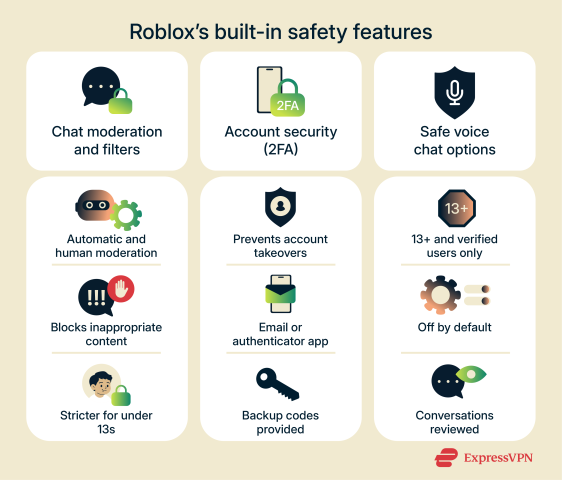
A key aspect of Roblox's safety hinges on its robust content filtering system and dedicated moderation team. They employ a combination of AI and human moderators to review games, chat, and user profiles. While no system is perfect, Roblox is continuously working to improve its ability to detect and remove inappropriate content.
- Content Filtering: Advanced algorithms scan all chat messages and descriptions for harmful language or personal information.
- Human Moderation: A large team of moderators reviews reports from users and proactively monitors the platform.
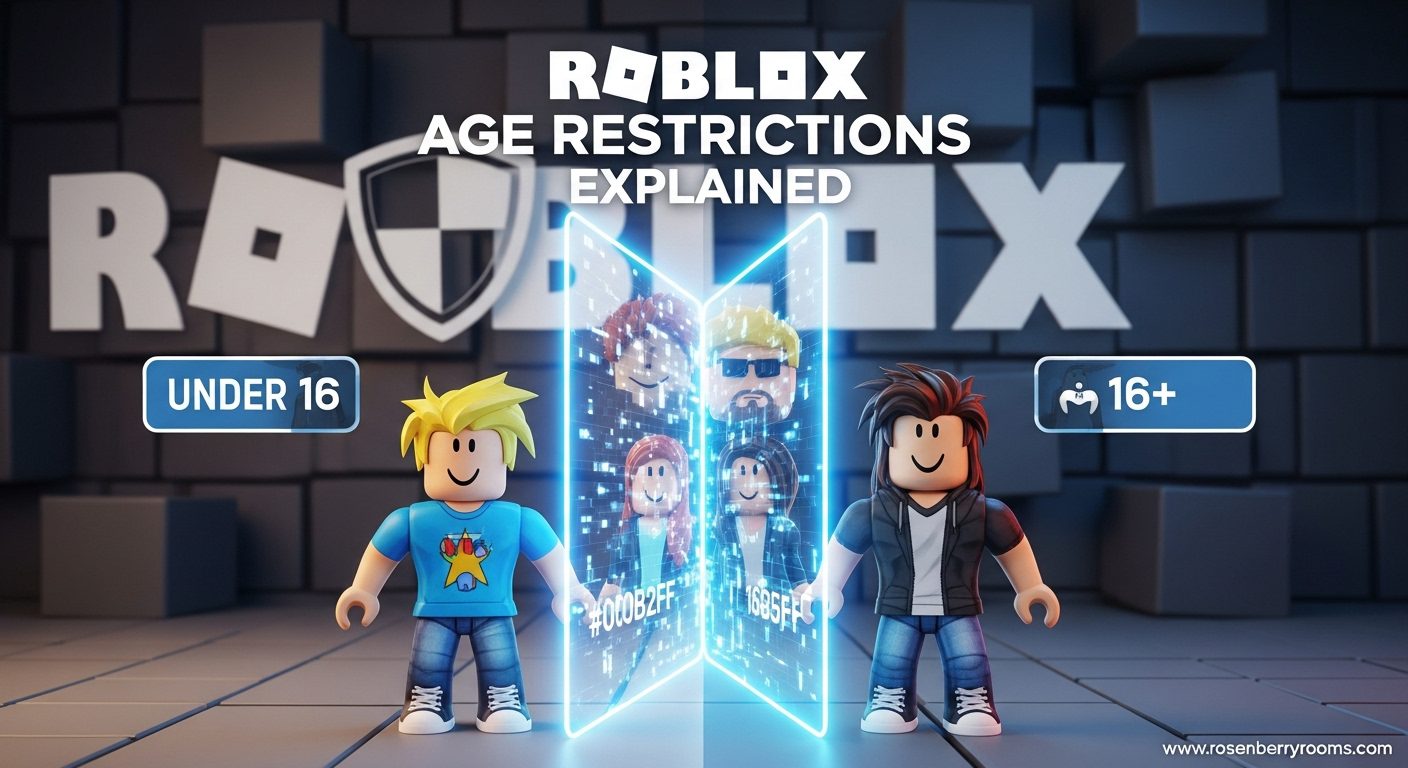
- Age Guidelines: Roblox provides age recommendations for games to help users and parents choose appropriate experiences.
For adult gamers who enjoy social experiences, Roblox offers a unique space. Many appreciate the ability to connect with friends and explore creative worlds. However, just like any online platform, awareness and proactive measures are your best defense against potential issues. Regular checks of privacy settings and open communication are your best allies.
How can I ensure my privacy and data security on Roblox?
Ensuring your privacy and data security on Roblox is paramount, whether you're an adult gamer or managing an account for a child. Roblox has implemented several features to help, but it's up to users to activate and maintain them. The first step is enabling Two-Step Verification (2SV). This adds an extra layer of security, requiring a code from your email address in addition to your password when logging in from a new device. It's a simple yet powerful deterrent against unauthorized access, safeguarding your account and any associated Robux.
Next, dive into the Privacy Settings. These are highly customizable and allow you to control who can interact with you on the platform. You can decide:
- Who can chat with you (everyone, friends, no one)
- Who can send you friend requests
- Who can join you in experiences
- Who can see your inventory
For children's accounts, it's generally recommended to set these to 'Friends' or 'No One' to minimize unsolicited interactions. For adults, tailor them to your comfort level, balancing social engagement with personal boundaries. Always be wary of sharing any personal identifiable information (PII) like your real name, address, or phone number in chat or user-generated content. Roblox's filters try to catch this, but vigilance is key. Regularly review these settings, especially after platform updates, to ensure they align with your current preferences.
What are the biggest online safety risks on Roblox and how do I avoid them?
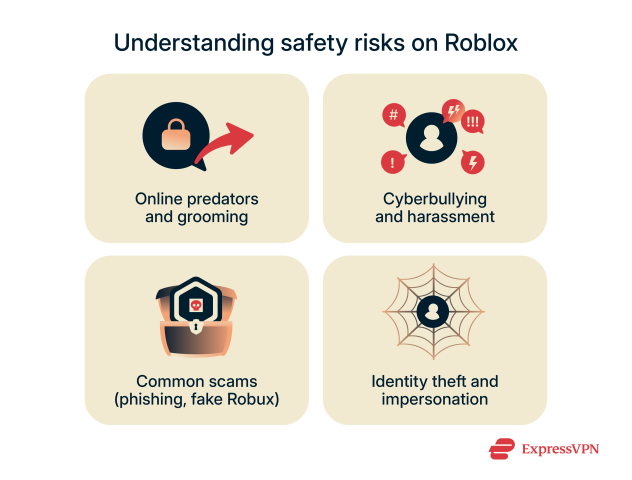
Despite Roblox's efforts, like any online platform, certain risks persist. Understanding these is the first step to avoiding them. The biggest risks generally fall into three categories: scams/phishing, inappropriate content/interactions, and unauthorized spending.
1. Scams and Phishing: Be highly skeptical of any offers promising 'free Robux' or 'Robux generators.' These are almost universally scams designed to trick you into giving away your password or downloading malware. Never click suspicious links sent through chat or external websites claiming to be Roblox. Roblox will never ask for your password outside of the official login page. Phishing attempts often look legitimate but lead to fake login pages. Always check the URL carefully.
2. Inappropriate Content and Interactions: While Roblox has filters, some user-created content or rogue users can slip through. This includes games with unexpected mature themes, inappropriate chat, or cyberbullying. Encourage open communication, especially with younger players, about reporting anything that makes them uncomfortable. Utilize the reporting tools and block features liberally. For adults, be mindful of what you're clicking into and who you're engaging with, just as you would on any other social platform.
3. Unauthorized Spending: In-game purchases, especially Robux, can add up quickly. Unprotected accounts can lead to unexpected charges. This isn't necessarily a scam but an oversight in managing settings. We'll cover how to prevent this in a later section.
Staying informed, using common sense, and leveraging Roblox's built-in safety features are your best defenses against these risks. Think of it like navigating any online community: a healthy dose of skepticism combined with proactive security measures goes a long way.
How do parental controls on Roblox work and how effective are they?
Roblox offers robust parental controls, primarily through the Account Restrictions feature, which can be highly effective when actively managed. These controls are designed to give parents significant oversight and the ability to tailor the Roblox experience to their child's age and maturity level. To activate them, you first need to verify the account's email address and then set a Parental PIN. This PIN is crucial as it prevents children from changing settings themselves without your approval.
Once the PIN is set, you can configure several key aspects:
- Age-Based Access: Restrict experiences to only those rated for specific age groups (e.g., 9+, 13+). This significantly limits exposure to potentially inappropriate content.
- Chat & Communication Restrictions: Limit who can chat with the child (e.g., only friends, no one) or disable chat entirely. This is vital for preventing interactions with strangers.
- Account Activity Monitoring: View a history of your child's in-game activities, including purchases, friend requests, and messages, offering transparency.
- Spending Limits: Though not a direct parental control feature, linking purchases to a payment method that requires explicit authorization (like a PIN) effectively controls Robux spending.
The effectiveness of these controls heavily relies on consistent oversight and open dialogue with your child. Regularly check their activity, discuss what they are playing, and reinforce online safety rules. While the system is powerful, no technology can replace a watchful eye and clear communication. Many adult gamers, familiar with setting up game consoles for family, will find these controls intuitive and essential for peace of mind.
Can I manage in-game purchases and protect my budget on Roblox?
Managing in-game purchases and protecting your budget on Roblox is absolutely possible and crucial, especially when children are involved. Unexpected charges can be a major pain point for busy adults. Roblox uses its virtual currency, Robux, for most in-game purchases, from cosmetic items to special abilities. The key to budget protection lies in a combination of platform settings and real-world financial safeguards.
Here's how to stay in control:
- Set a Parental PIN: As mentioned, activate a Parental PIN in the Account Restrictions. This prevents anyone without the PIN from changing settings, including those related to purchases.
- Require PIN for Purchases: Ensure that any payment method linked to the account requires a password or PIN confirmation for every transaction. Many credit card companies or PayPal allow you to set up such authentication. This is the most effective way to prevent unauthorized Robux buys.
- Use Prepaid Cards or Gift Cards: If your child frequently asks for Robux, consider buying Roblox gift cards. This allows you to pre-set a spending limit and avoids linking your primary payment methods directly to the account.
- Educate on Value: Have an open discussion about the real-world value of Robux. Help children understand that in-game items cost real money, fostering financial literacy.
For adult gamers, applying a dedicated gaming budget or using prepaid cards for personal Robux purchases can prevent overspending, allowing you to enjoy the platform without financial surprises. Remember, being proactive with your payment settings is far easier than disputing charges later.
What steps should I take if I encounter inappropriate content or behavior?
Encountering inappropriate content or behavior can be unsettling, but Roblox provides clear mechanisms for reporting. Acting quickly helps maintain a safer environment for everyone. The most direct and effective action is to use the built-in Report Abuse feature.
Here's how to do it:
- Identify the Issue: Whether it's offensive chat, a problematic game, an inappropriate username, or a direct message, pinpoint the specific item or user.
- Access the Report Button: This is usually found within the in-game menu (often by pressing 'Esc' on PC/Mac or through a menu icon on mobile) or directly on a user's profile page.
- Select Category and Provide Details: Choose the most accurate category for the abuse (e.g., Harassment, Inappropriate Content, Cheating). Provide a brief, factual description of what happened. Be as specific as possible.
- Submit Report: Once submitted, the report goes directly to Roblox's moderation team for review.
In addition to reporting, you can also block the user. Blocking prevents them from sending you messages, joining your game, or seeing your activity. This is an immediate solution for personal safety. Encourage children to immediately tell a trusted adult if they encounter something that makes them uncomfortable. Roblox's moderation team is active, reviewing millions of reports annually. Your report contributes directly to their efforts to keep the platform clean and safe. Remember, if you see something, say something.
How does Roblox moderation keep the platform safe for its millions of users?
Roblox's moderation system is a complex, multi-layered operation designed to manage the immense volume of user-generated content and interactions across its platform. With millions of active users and countless new experiences being created daily, it's a monumental task. Their approach combines advanced artificial intelligence (AI) with a dedicated team of human moderators, working 24/7.
Key elements of Roblox's moderation include:
- AI-Powered Content Filters: All uploaded content, including images, audio, video, and text chat, is first scanned by sophisticated AI. This AI is trained to detect inappropriate language, personal information, copyrighted material, and other violations of Roblox's Community Standards. It's constantly learning and adapting to new threats.
- Human Moderation Teams: A large global team of human moderators reviews content flagged by the AI and processes all user-submitted reports. They provide context and nuance that AI alone cannot, making final decisions on content removal or account sanctions.
- Strict Community Standards: Roblox has comprehensive and publicly available Community Standards that outline acceptable behavior and content. These standards cover everything from bullying and hate speech to sexual content and scams.
- Reporting Tools: As discussed, easy-to-use reporting tools empower the community to be the
Robust parental controls are essential for child safety. Roblox moderation systems actively monitor user-generated content and interactions. Learn to identify and avoid common Roblox scams and phishing attempts. Privacy settings allow users to control who they interact with and what information is shared. Understand the risks of in-game purchases and set spending limits. Reporting tools are available for inappropriate content or behavior. Education about online safety is crucial for all users. Roblox offers a vast library of games but quality varies.
34#1 Gallery is roblox safe to use

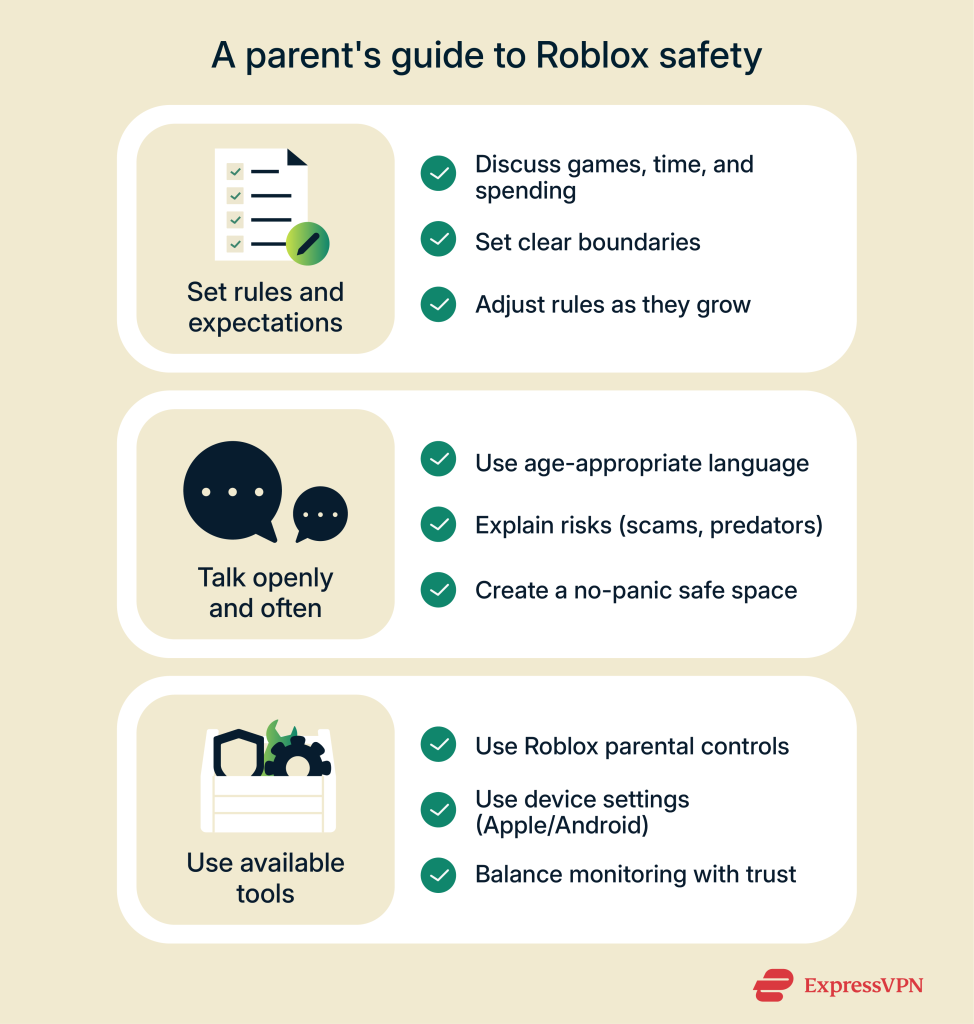
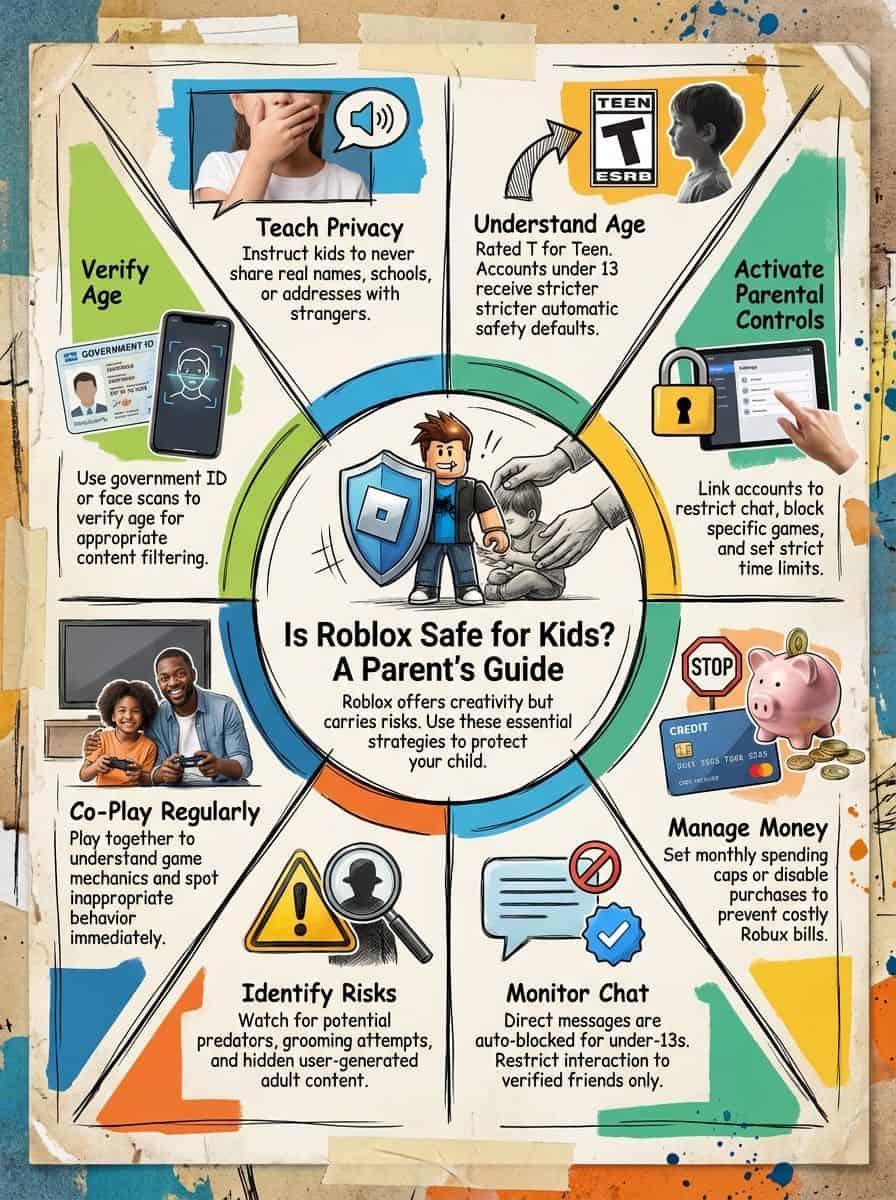
2026 Parental Guide For Roblox Usage UnicMinds 2026 Parental Guide For Roblox Usage UnicMinds . FAQ Is Roblox Safe For Kids Mar 2026 Guide For Parents FAQ Is Roblox Safe For Kids 800x400 . Is Roblox Safe Understand The Risks And Protections A Parents Guide To Online Safety 974x1024 . Is Roblox Safe For Kids 2026 Checklist For Parents Fast Setup Is Roblox Safe For Kids Scaled . Is Roblox Safe For Kids Uncover The Shocking Truth Now Infographic Is Roblox Safe For Kids Safety Tips And Risks Explained 419544 0219
#2 Gallery is roblox safe to use

Is Roblox Safe For Your Kids Guide To Roblox Safety In 2026 Is Roblox Safe For Kids Parental Safety Guide.webp. Is Roblox Safe For Kids Plugged In Roblox 1 . Best Roblox VPN 2026 Security And Unlimited Access For Players VPN Roblox 2026 Terbaik Melindungi Privasi Dan Akses Tanpa Batas 3756ba1bbf . Is Roblox Safe For Kids A Guide For Concerned Parents Kidslox Is Roblox Safe For Kids . Is Roblox Safe Understand The Risks And Protections Robloxs Built In Safety Features 562x480
#3 Gallery is roblox safe to use
Is Roblox Getting Shut Down In 2026 The Real Truth Behind All Those Is Roblox Getting Shut Down In 2026 1024x683 . Is Roblox Safe For Kids A Parent S Guide To Online Gaming Is Roblox Safe.webp. Is Roblox Safe Understand The Risks And Protections Safety Risks On Roblox 632x480 . Is Roblox Banning Adults New Safety Rules Explained 2026 Roblox Banning Adults . Is Roblox Safe For Kids 5 Ways To Ensure Your Child S Safety Roblox Safe For Kids Scaled
#4 Gallery is roblox safe to use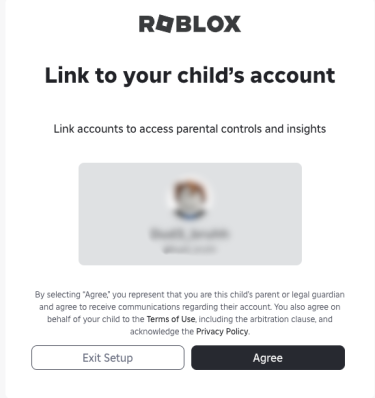


Is Roblox Safe Understand The Risks And Protections Is Roblox Safe 5 375x398 . How To Message On Roblox 2026 A Quick Guide SL1500 . Roblox 2026 Logo REVEALED New Color New Look YouTube Maxres2 . How To Publish A Game On Roblox In 2026 Roblox YouTube . Is Roblox Safe For Kids Parents Safety Guide 2026 Is Roblox Safe For Kids
#5 Gallery is roblox safe to use


Is Roblox Safe For Kids In 2026 Keep Your Children Secure Is Roblox Safe For Kids In 2023 Keep Your Children Secure 1024x658 . Is Roblox Safe For Kids Complete Guide For Parents In 2025 Post Is Roblox Safe For Kids . Is Roblox Safe For Kids A Complete Parent S Guide Tech2Geek Adjust Privacy And Chat Settings In Child Roblox . Is Roblox Safe For Kids In 2026 What Every Parent Needs To Know Roblox Game Front Page.webp. Is Roblox Safe For Kids In 2026 What Every Parent Needs To Know Roblox Main Screen.webp
#6 Gallery is roblox safe to use

Is Roblox Safe Understand The Risks And Protections Is Roblox Safe 4 508x480 . Is Roblox Safe For Kids In 2026 What Every Parent Needs To Know Roblox Game. Is Roblox Safe For Kids 2026 Checklist For Parents Fast Setup What Is Roblox Scaled . Is Roblox Safe Understand The Risks And Protections Is Roblox Safe Scaled . How To Update Roblox In 2026 Fix Error Code 280 On PC Mobile Xbox Roblox Update It.webp
#7 Gallery is roblox safe to use


Is Roblox Safe For Kids A Quick Parent S Guide To Roblox YouTube . How To Message On Roblox 2026 A Quick Guide . How To Message On Roblox 2026 A Quick Guide . Is Roblox Safe For Kids 5 Ways To Ensure Your Child S Safety Roblox Safe For Kids Scaled.webp