Navigating the complexities of online gaming platforms like Roblox can be a challenge especially when dealing with content that crosses the line. This comprehensive guide offers practical advice and essential information for parents and gamers alike on identifying reporting and preventing inappropriate Roblox avatars. As millions of US gamers averaging over 10 hours a week engage in virtual worlds understanding safety protocols is paramount. We delve into how Roblox policies address avatar customization what constitutes a violation and the steps you can take to ensure a safer gaming environment for everyone. From parental controls to community reporting mechanisms this resource covers vital strategies to protect younger players and maintain a respectful online community. Discover solutions to common issues and empower yourself with the knowledge to foster a positive gaming experience free from harmful visual content. Stay ahead of trends in online safety and make informed decisions about your family's digital play. This guide is designed for busy parents and adult gamers who value a balanced and secure online experience and want to understand how to keep online interactions positive.
How do I report an inappropriate avatar on Roblox? What kind of avatars are considered inappropriate on Roblox? Can I block someone with an inappropriate Roblox avatar? Are there parental controls for Roblox avatar safety? How long does Roblox take to review avatar reports?Who defines what an inappropriate Roblox avatar is?
Roblox defines what constitutes an inappropriate avatar through its comprehensive Community Standards, which are publicly available. These standards are developed with input from safety experts and are regularly updated to reflect current online safety best practices and address emerging issues. Their moderation team, supported by AI, enforces these guidelines to ensure a safe and respectful environment for all players, from casual gamers to dedicated creators.
Why is it important to report inappropriate Roblox avatars?
Reporting inappropriate Roblox avatars is crucial because it directly contributes to making the platform safer for everyone, especially younger players. Automated systems catch a lot, but user reports fill the gaps, flagging content that might slip through. Each report helps Roblox's moderation team take action, ensuring a cleaner, more enjoyable gaming experience and preventing others from encountering harmful visuals. It’s a collective effort to maintain positive social gaming spaces.
Where can I find Roblox's official guidelines on avatar conduct?
You can find Roblox's official guidelines on avatar conduct and all user-generated content directly on their official website. Look for sections like "Community Standards," "Terms of Use," or "Safety." These documents provide detailed explanations of what is and isn't allowed, offering transparency for both players and parents on expected behavior and content moderation policies.
Is there a way to filter avatar content before it appears in my game?
While there isn't a direct "avatar filter" that prevents specific visual content from loading in real-time for all players, Roblox offers robust parental controls. By enabling Account Restrictions and setting age-appropriate experience filters, you can significantly reduce the likelihood of encountering inappropriate avatars. Additionally, blocking individual players immediately removes their avatar from your view in most game situations.
When should I escalate an issue with an inappropriate avatar beyond a standard report?
You should consider escalating an issue if you've reported an inappropriate avatar multiple times and no action appears to have been taken, or if the content is particularly egregious and potentially harmful (e.g., child exploitation, extreme hate speech). In such rare cases, you can visit the Roblox Help Center on their website and submit a support ticket, providing all relevant details and screenshots. This allows for a more direct interaction with their support team.
How to explain inappropriate avatars to a younger child without causing fear?
When explaining inappropriate avatars to a younger child, focus on simple, clear concepts rather than fear. You can say, "Some pictures or clothes on avatars aren't kind or safe for kids to see, and Roblox has rules against them." Emphasize that if they see something that makes them feel confused or uncomfortable, they should tell a trusted adult immediately. Show them how to report or block without making it seem scary, empowering them with tools rather than anxiety.
What are the long-term impacts of consistently seeing inappropriate avatars on young players?
Consistently seeing inappropriate avatars can have several negative long-term impacts on young players, including desensitization to potentially harmful content, confusion about social norms, and increased anxiety or discomfort in online spaces. It can also normalize inappropriate behavior, leading some children to mimic it. A safe online environment fosters positive development, creativity, and healthy social interactions, which is why actively addressing inappropriate content is so vital for their well-being and a positive gaming experience.
For many US gamers, balancing the thrill of virtual worlds with the realities of work, family, and life is a constant act. We jump into games to unwind, connect with friends, or simply build a new skill. Roblox, with its vast universe of user-created experiences, has become a go-to platform for millions, including a significant portion of the 87% of US gamers who regularly play, often dedicating over 10 hours a week to their passion. This month, social gaming continues its dominance, especially on mobile, making platforms like Roblox central to many players' digital lives. However, with such freedom and a massive, diverse player base, comes the occasional challenge. One growing concern for adult gamers and parents alike is encountering inappropriate Roblox avatars. It's a frustrating experience, breaking immersion and raising questions about online safety, especially when younger family members are playing. Nobody wants to deal with content that crosses the line, whether it's visually offensive or just plain distracting. You want solutions that are straightforward and effective, without having to dig through endless forums or tech-speak. That's why we’ve put together this comprehensive guide. We're here to cut through the noise, offering practical advice and clear steps to identify, report, and help prevent inappropriate Roblox avatars, ensuring a more positive and secure gaming environment for everyone. Think of this as your friendly co-op partner, helping you navigate the sometimes-tricky landscape of online content.
What Exactly Qualifies as an Inappropriate Roblox Avatar?
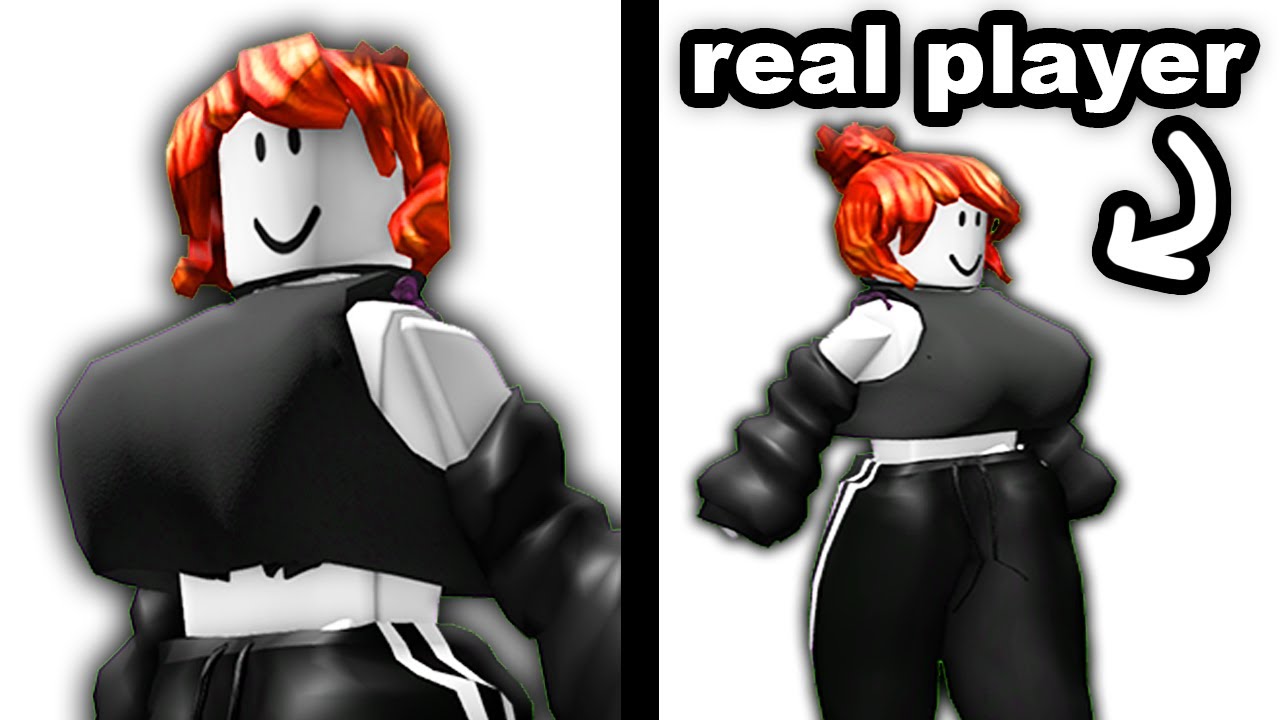
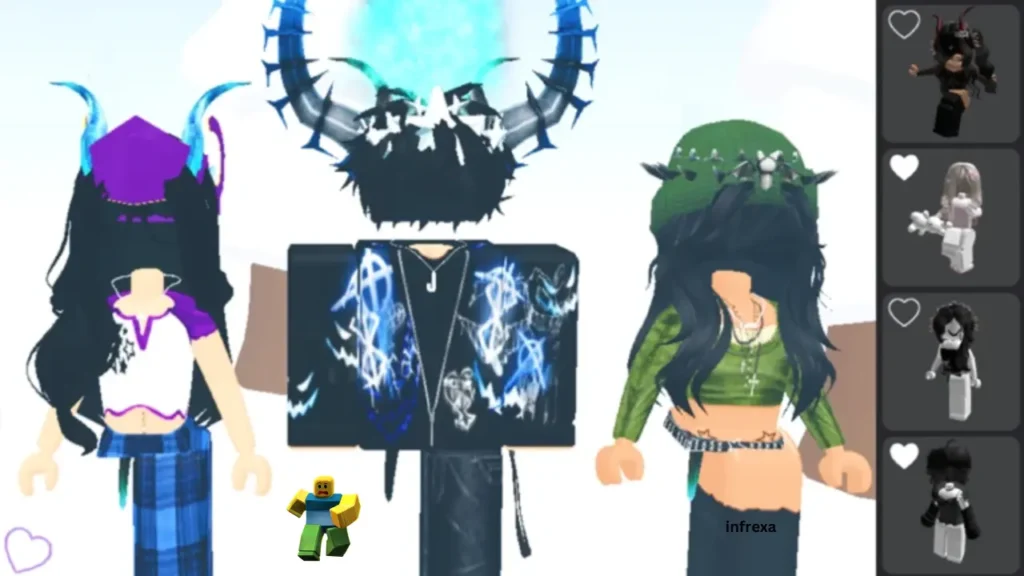
Roblox prides itself on being a platform for imagination, but it also maintains strict community standards to ensure a safe environment for its diverse user base, which includes millions of children. An inappropriate Roblox avatar is essentially any avatar customization that violates these standards. This isn’t just about explicit content; it extends to a wide range of visual and thematic elements. Think about the average gamer who values a relaxing and fun experience – seeing something offensive instantly ruins that vibe. For busy parents, knowing what to look out for is crucial. Generally, anything depicting nudity, suggestive clothing, hate symbols, discriminatory imagery, harassment, or real-world gore falls under this umbrella. It also includes avatars that mimic illegal activities, self-harm, or promote dangerous acts. Roblox's moderation AI actively scans for these, but user reports are equally vital. Sometimes, it's not overtly graphic but implies something problematic, or uses text on clothing that is abusive or inappropriate. Context is key, but if it makes you or your child uncomfortable, it’s likely inappropriate. Keeping up with current online trends, especially those that might be subtly inappropriate, is part of staying informed. This month, for instance, certain aesthetic trends might seem harmless but could have underlying problematic connotations.
How Can I Identify Potentially Inappropriate Roblox Avatars While Playing?
Identifying an inappropriate Roblox avatar often comes down to vigilance and understanding the platform's rules. For adult gamers balancing life, work, and a quick gaming session, you don't want to spend precious downtime policing virtual dress codes, but a quick scan can prevent issues. The most obvious signs are revealing or suggestive clothing, which Roblox explicitly prohibits. This includes overly tight outfits, transparent textures, or designs that mimic underwear or swimwear in a non-appropriate context (e.g., not at a virtual beach game). Look for text or symbols on clothing items. Hate speech, discriminatory language, or gang symbols are immediate red flags. Avatars designed to harass, intimidate, or depict violence in a realistic or disturbing way are also against the rules. Sometimes it's less about the clothing and more about the combination of accessories, body parts, and animations that create an overtly suggestive or offensive pose. While Roblox has filters, creative users sometimes find ways around them, creating "bypass" items. If an avatar makes you or your child feel uneasy, or seems out of place with the general family-friendly tone of Roblox, trust your gut. A quick screenshot or mental note of the player's username can be helpful for reporting later. Remember, social gaming is a major trend, and most players want a positive, inclusive space.
What Steps Should I Take to Report an Inappropriate Roblox Avatar?
Reporting an inappropriate Roblox avatar is straightforward and is one of the most effective ways to help maintain a safe gaming environment. It's a quick action that, as a responsible gamer or parent, directly contributes to community safety. Here’s a simple, step-by-step process:
- Locate the Player: While in a game, click on the "Players" list, usually found in the top-right corner or through a dedicated menu button (often represented by an icon of people or a list). Find the username of the player with the inappropriate avatar.
- Initiate Report: Click on the player's username. A small menu will usually appear, offering options like "View Profile" or "Report." Select "Report."
- Select Reason: Roblox will present a list of reasons for reporting. Choose the most appropriate option, such as "Inappropriate Avatar," "Inappropriate Clothing," or "Harassment" if the avatar is part of a broader issue. Be specific without overthinking it.
- Add Details (Optional but Recommended): You'll often have a text box to provide additional details. Briefly explain why you believe the avatar is inappropriate. For example, "Avatar depicts sexually suggestive clothing" or "Avatar has hate symbols on shirt." Avoid personal attacks; stick to factual observations.
- Submit Report: Confirm your report. Roblox will then receive it for review by their moderation team.
It's important to remember that reports are anonymous to the reported player, so you can report without fear of retaliation. This process helps Roblox's team prioritize and address violations quickly, keeping the platform safer for everyone, including the millions who rely on it for their daily dose of social interaction and fun.
How Long Does Roblox Take to Act on Reports of Inappropriate Avatars?
The speed at which Roblox acts on reports of inappropriate avatars can vary, depending on several factors, including the severity of the violation, the volume of reports, and current moderation workloads. For busy gamers who just want issues resolved quickly, this can sometimes feel like a waiting game. Generally, Roblox employs a combination of automated systems and human moderators to review reports. Highly egregious violations, such as overt nudity or hate speech, are often flagged and addressed much faster, sometimes within minutes to a few hours, thanks to AI detection and rapid human review. More subtle or ambiguous cases might take longer, potentially up to 24-48 hours, as they require more in-depth human investigation and context consideration. Roblox prioritizes child safety, so reports involving minors are typically handled with extreme urgency. While you won't receive a direct update on every report due to privacy policies, persistent or severe issues often result in swift action. If you report an avatar and still see it after a day or two, it's possible that the moderation team deemed it not a violation, or they are still investigating. In such cases, if you genuinely believe it's an issue, you can submit another report or, if it involves a persistent pattern from a specific user, consider blocking them directly.
Are There Parental Control Settings to Prevent My Child from Seeing Inappropriate Avatars?
Absolutely. For parents who want their children to enjoy Roblox safely, understanding and utilizing the robust parental control settings is paramount. These tools are designed to give you peace of mind, allowing your child to explore without constantly encountering questionable content. Here's how to configure them:
- Account Restrictions: This is a powerful feature in Roblox settings. By enabling Account Restrictions, you can limit your child's account to only access experiences on a pre-approved list curated by Roblox. This significantly reduces the chances of them entering games where inappropriate avatars might be more common, as these games are often less moderated or designed for older audiences.
- Chat Filtering: While not directly related to avatars, ensuring chat filtering is set to its highest level helps prevent inappropriate text communication, which can sometimes accompany or lead to inappropriate avatar choices among peers.
- Age Guidelines: Roblox experiences are rated by age. Familiarize yourself with these ratings (All Ages, 9+, 13+). You can adjust settings so your child can only access experiences rated for their age group or younger. This means they are less likely to encounter older players who might use more provocative avatars.
- PIN Protection: Always set a Parent PIN on your child's account settings. This prevents them from changing any of the safety settings you've put in place without your permission. It's a critical step in maintaining control over their online environment.
- Monitor Activity: Regularly check your child's 'Friends' list and 'Last Played' games. While not a control setting, it allows you to spot any unusual patterns or interactions. Social gaming is a huge part of Roblox, but knowing who your child is interacting with is key.
Implementing these controls creates a much safer browsing experience, allowing your child to engage with the positive aspects of Roblox, like creativity and social interaction, without the worry of encountering inappropriate visual content.
What Are Roblox's Policies Regarding Avatar Customization and Content?
Roblox has a comprehensive set of Community Standards that explicitly detail what is and isn't allowed regarding avatar customization and all user-generated content. These policies are designed to foster a friendly and safe environment for its global user base. As an adult gamer, understanding these helps you contribute to a positive community. Key policies include:
- No Nudity or Sexual Content: This is a strict prohibition. Avatars cannot depict nudity, sexually suggestive content, or inappropriate body parts. This extends to clothing that is overly revealing, transparent, or implies nudity.
- No Hate Speech or Discrimination: Avatars cannot display symbols, text, or imagery that promotes hate, discrimination, or harassment based on race, ethnicity, gender, sexual orientation, religion, disability, or any other protected characteristic.
- No Gore or Realistic Violence: While some games feature cartoon violence, avatars depicting realistic gore, dismemberment, or extreme violence are not permitted.
- No Illegal or Dangerous Content: Avatars cannot promote illegal activities, self-harm, drug use, or dangerous real-world acts. This includes symbols associated with real-world gangs or terrorist organizations.
- No Impersonation or Personal Information: Avatars should not be used to impersonate Roblox staff or share personal identifying information.
- Copyright and IP: Users must respect intellectual property rights. Avatars cannot use copyrighted or trademarked material without permission.
Roblox uses a combination of automated filters, AI, and human moderators to enforce these policies. Any uploaded avatar items (clothing, accessories) go through a moderation queue before becoming available. However, some items or combinations might slip through, highlighting the importance of user reporting. The goal is to ensure that creativity flourishes within boundaries that keep everyone safe and comfortable.
How Can I Educate My Child About Appropriate Online Behavior and Avatars?
Educating your child about appropriate online behavior on platforms like Roblox is an ongoing conversation, not a one-time lecture. For parents who are balancing busy schedules, integrating these discussions naturally into daily life is key. Start early and reinforce positive habits:
- Open Communication: Create a safe space where your child feels comfortable coming to you if they see something that makes them uncomfortable or confused. Ask them regularly about what they're seeing and doing on Roblox. "What cool avatars have you seen lately?" or "Did anything weird happen in your game today?"
- Teach the "Golden Rule": Explain that online interactions and appearances should follow the same rules as offline ones: be kind, respectful, and thoughtful. If they wouldn't wear something in public or say something to a friend's face, they shouldn't do it online.
- Define Inappropriate: Clearly explain what constitutes an inappropriate avatar using simple terms. Focus on concepts like "too revealing," "mean pictures/words," or "symbols that hurt others." Give concrete examples without scaring them.
- Empower Reporting: Show them how to report inappropriate content or behavior. Emphasize that reporting isn't "tattling" but helping to keep their favorite platform safe for everyone. Make sure they know it's okay to report even their friends if they are breaking rules.
- Privacy Settings and Boundaries: Discuss why privacy settings are important and why they shouldn't share personal information or accept friend requests from strangers. Explain that some avatars might be used by strangers with bad intentions.
- Lead by Example: If you game, model respectful online behavior yourself. Discuss your own experiences with online etiquette.
Regular, informal chats are more effective than strict rules. Remember, the average US gamer is around 36, and many are parents themselves; we know the struggle of keeping kids safe in digital spaces while still letting them explore and have fun. By building this foundation, you empower your child to make good choices and be a responsible digital citizen.
What Happens to Players Who Use Inappropriate Avatars on Roblox?
When Roblox's moderation team confirms a player has used an inappropriate avatar that violates their Community Standards, a series of actions can be taken, ranging in severity depending on the nature and frequency of the offense. For a platform that values its community and safety, consistent enforcement is key. Here's a general breakdown of consequences:
- Content Removal: The inappropriate avatar item itself, whether it's clothing, a texture, or an accessory, will be removed from the player's inventory and access. This often happens first, even before account action.
- Warning: For minor or first-time offenses, Roblox might issue a warning. This serves as an official notice that their behavior violated standards and provides an opportunity for the player to correct their actions.
- Temporary Ban: More serious or repeated offenses can lead to a temporary ban, meaning the player will be unable to access their Roblox account for a set period, typically ranging from a few hours to several days or even weeks. This is a common consequence and aims to give players time to reflect on their actions.
- Permanent Ban/Termination: The most severe violations, such as repeatedly uploading highly explicit content, hate speech, or content promoting illegal acts, can result in a permanent ban. This means the player loses access to their account indefinitely, along with any Robux or items they owned.
- Account Flagging: Even without a ban, accounts that frequently push boundaries or receive multiple reports might be flagged, leading to increased scrutiny from moderators on future content and activity.
Roblox aims for fairness but prioritizes the safety and well-being of its community above all else. These disciplinary actions are crucial in discouraging harmful behavior and ensuring that the platform remains a creative and engaging space for everyone, from casual players to dedicated creators.
Can I Block Specific Players with Inappropriate Avatars?
Yes, absolutely, and blocking is an immediate and effective tool to manage your personal gaming experience on Roblox, especially when encountering players with inappropriate avatars. As adult gamers, we appreciate tools that allow us to quickly curate our environment and avoid distractions. If you encounter a player whose avatar (or behavior) makes you uncomfortable, blocking them is a swift solution:
- Locate the Player: Similar to reporting, find the player's username in the game's player list or by clicking directly on their avatar.
- Access Profile/Menu: Click on their username, which typically brings up a small context menu.
- Select "Block User": In this menu, you should see an option to "Block User." Click it.
- Confirm Block: Roblox will ask you to confirm. Once confirmed, that player will be blocked.
What does blocking do? When you block a user:
- You will no longer see their messages in chat.
- They will no longer be able to send you messages or friend requests.
- You won't see their avatar or hear them in voice chat.
- They won't be able to join games you are currently in, and you won't see them in games they are in (unless it's a very large public server where exceptions may apply, but generally their presence will be minimized).
Blocking provides an instant personal filter, giving you control over who you interact with. While reporting addresses the platform-wide issue, blocking empowers you to immediately remove a problematic presence from your (or your child's) immediate view. It's a key feature for maintaining a comfortable and safe gaming session, particularly when balancing gaming with a busy life.
What Should I Do If My Child Accidentally Creates an Inappropriate Avatar?
It's a parent's nightmare: your child, perhaps innocently or through misunderstanding, creates an avatar that's inappropriate. The key here is to act quickly, calmly, and use it as a learning opportunity. This is a common pain point for parents trying to navigate digital spaces. Here’s a plan of action:
- Don't Panic: Kids experiment, and sometimes boundaries are unclear. Your calm reaction is crucial.
- Address It Immediately: As soon as you discover it, talk to your child. Ask them about their choices. Was it an accident? Did they think it was funny? Did a friend suggest it? Understanding their intent helps guide the conversation.
- Explain Why It's Inappropriate: Clearly, but without judgment, explain why the avatar violates Roblox's rules and why it's not okay. Connect it to real-world social rules: "How would you feel if someone wore that to school?"
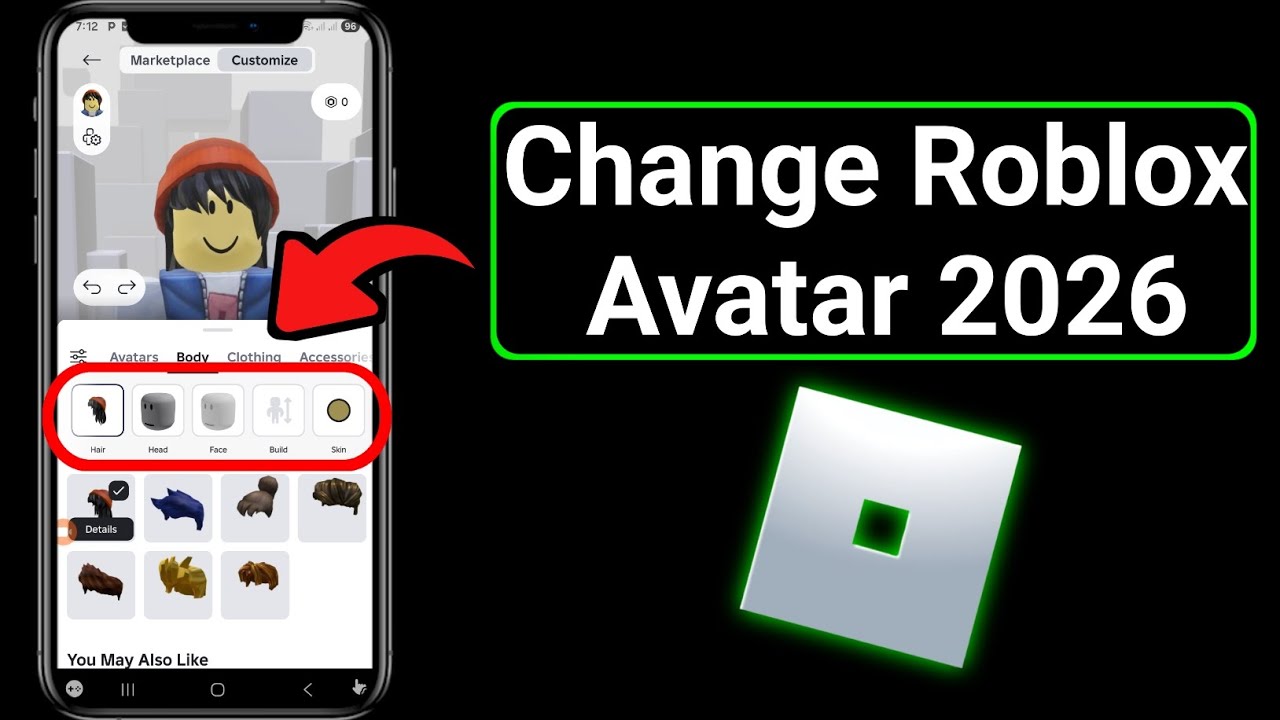
- Help Them Change It: Guide them through the process of changing the avatar to something appropriate. Show them how to access their avatar editor and select different clothing or accessories. This teaches them problem-solving and self-correction.
- Reinforce Reporting: Remind them that if they see others with inappropriate avatars, they should report them. This shows them the importance of community standards.
- Review Parental Controls: Double-check your parental control settings on their Roblox account. Ensure the PIN is active and age restrictions are set appropriately to prevent similar issues in the future.
- Maintain Open Dialogue: Emphasize that you're there to help them navigate these digital spaces safely. Encourage them to come to you with any questions or concerns, rather than trying to hide things.
Mistakes happen, and using them as teachable moments is far more effective than just punishing. It empowers your child to understand online etiquette and strengthens your bond as a trusted guide in their digital world.
Navigating the dynamic world of Roblox, especially when it comes to user-generated content like avatars, requires a proactive approach from both players and parents. We've explored what constitutes an inappropriate Roblox avatar, how to effectively identify and report such instances, and the critical role parental controls play in safeguarding younger players. Remember, the collective effort of the community, coupled with Roblox's robust moderation systems, is what keeps the platform vibrant and safe. By empowering yourself with this knowledge, you're not just solving a problem; you're contributing to a more respectful and enjoyable online environment for everyone. Whether you're a seasoned gamer looking to unwind after a long day or a parent guiding your child through their first virtual steps, having these tools at your disposal makes a real difference. Stay informed, stay vigilant, and continue to foster a positive gaming culture. What's your biggest gaming challenge when it comes to online safety? Comment below!
FAQ Section
What is Roblox's stance on user-generated content for avatars?
Roblox has strict Community Standards prohibiting nudity, hate speech, gore, and any content promoting illegal or dangerous activities. All user-generated avatar items are moderated, but the platform relies on user reports for items that may bypass initial checks or combinations that create inappropriate visuals.
Is it possible to customize privacy settings to limit avatar visibility?
While you can't specifically hide other players' avatars, you can utilize parental controls like Account Restrictions to limit access to age-appropriate experiences, which generally feature less inappropriate content. Blocking individual users also removes their avatar from your view.
How can I monitor my child's Roblox activity for avatar issues?
Regularly check their 'Last Played' games and 'Friends' list in their account. Maintain open communication by asking about their gameplay and experiences. Setting a Parent PIN on their account prevents them from changing safety settings you’ve enabled.
Are there third-party tools to help with Roblox safety?
While Roblox provides built-in safety features, some parental control software or network-level filters can offer additional layers of protection by monitoring online activity or blocking specific websites. However, always prioritize Roblox's official tools first.
What role does the community play in reporting inappropriate content?
The community is crucial. Roblox relies heavily on user reports to identify and remove inappropriate avatars and content that automated systems might miss. Every report helps maintain a safer and more positive environment for all players.
Understanding Roblox's avatar moderation policies Reporting offensive avatars effectively Setting up parental controls for safer play Recognizing what constitutes inappropriate visual content Educating younger players on online etiquette The importance of community vigilance in maintaining a safe platform Steps to prevent future occurrences of inappropriate avatars
35


I Found Avatar In Roblox YouTube Hqdefault . Top 7 Roblox Games For Kids 2026 Top 7 Games On Roblox 03 . Is Roblox Becoming YouTube . ROBLOX AVATARS Are Evil YouTube . Prepare For 2026 With Roblox Trends TikTok Img


Kittys Avatar On Roblox Is YouTube Oar2 . Funny Roblox Characters Click Exe To Run . Top 7 Roblox Games For Kids 2026 Top 7 Games On Roblox 02 . Addressing Roblox Avatar Trends TikTok Img. THE MOST GAME In ROBLOX YouTube
Class Action Lawsuit Filed Against Roblox Gaming Platform Cbs8 Com F5a52c7a 3e68 400c 8c49 1920x1080 . The Dangers Of Roblox Why Parents Should Be Cautious Of Allowing Their The Dangers Of Roblox Why Parents Should Be Cautious Of Allowing Their Kids To Play It . Most Roblox Game Ever Made Infoupdate Org . CAN YOU GET BANNED FOR CUSTOM AVATAR PREVIEW IN ROBLOX YouTube . Roblox Games 32181908 0 Image A 16



Roblox Avatar Crawler. Top 99 Roblox Avatar Pic Ang G Y S T Tr N M Ng . Roblox Allowing Avatar With Only Underwear R Roblox Roblox Allowing Avatar With Only Underwear V0 . Critical Moderation Flaw Allows Avatars To Remain On . Alternative Gender Versions Of Roblox Avatars TikTok Img



R R15 Code Roblox Funny Shirts Fred Durst Roblox . Bilder Von Roblox Avatar Ideas Roblox Eigenen Avatar Erstellen ICAW . What Exactly Is A Roblox Default Avatar Roblox Avatar Ideas. How To Change Roblox Avatar 2026 YouTube . Rocking The Roblox 2017 Avatar Look Discover The Best Cute Avatars For Roblox Afia


Roblox Color Avatar . Roblox Avatar Ideas In 2025 Aesthetic Roblox Royale High Outfits . Roblox Keywords Fotografie Malen Tipps Zum Lernen Posen Zeichnen . Not Mine But I Want It So Badlyy Roblox Outfits With Pants . Roblox Is Resetting Avatars KreekCraft Clips Facebook Media



Roblox Retro Avatars . Roblox Vs Minecraft The Ultimate Sandbox Battle In 2026 Roblox Vs Minecraft Parental Controls And Safety Avatars Talking . Cartoon Characters Roblox Avatar . 22 Roblox Avatar Ideas Roblox Baddie Outfits Ideas Roblox Roblox . Roblox Update Is Your Avatar Being Monitored TikTok Img